
Pipipong v0.9.5 for Mac is available · Apple silicon · macOS 14.0+

AI WORK PET · PUBLIC TECHNICAL PREVIEW

An AI work pet that lives on your desktop—and gets the task done.

Tell Pipipong what you need. Review its interpretation and plan, then let it work within the scope you approve.

  • Free technical preview
  • No account required for the app
  • Apple silicon
  • macOS 14+
Real product UI · localized example · v0.9.5
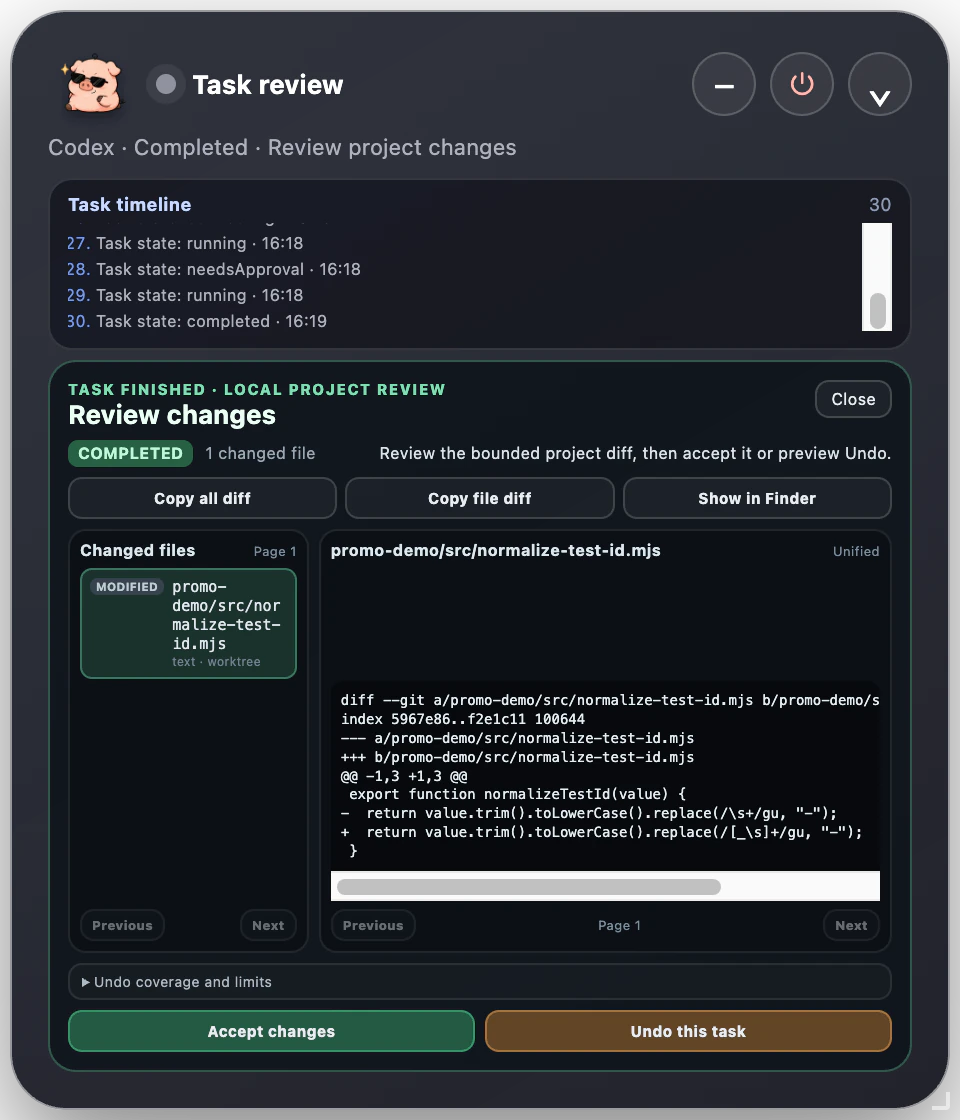
Real Pipipong v0.9.5 task review interface

REAL PRODUCT PROOF

One task, visible from request to result.

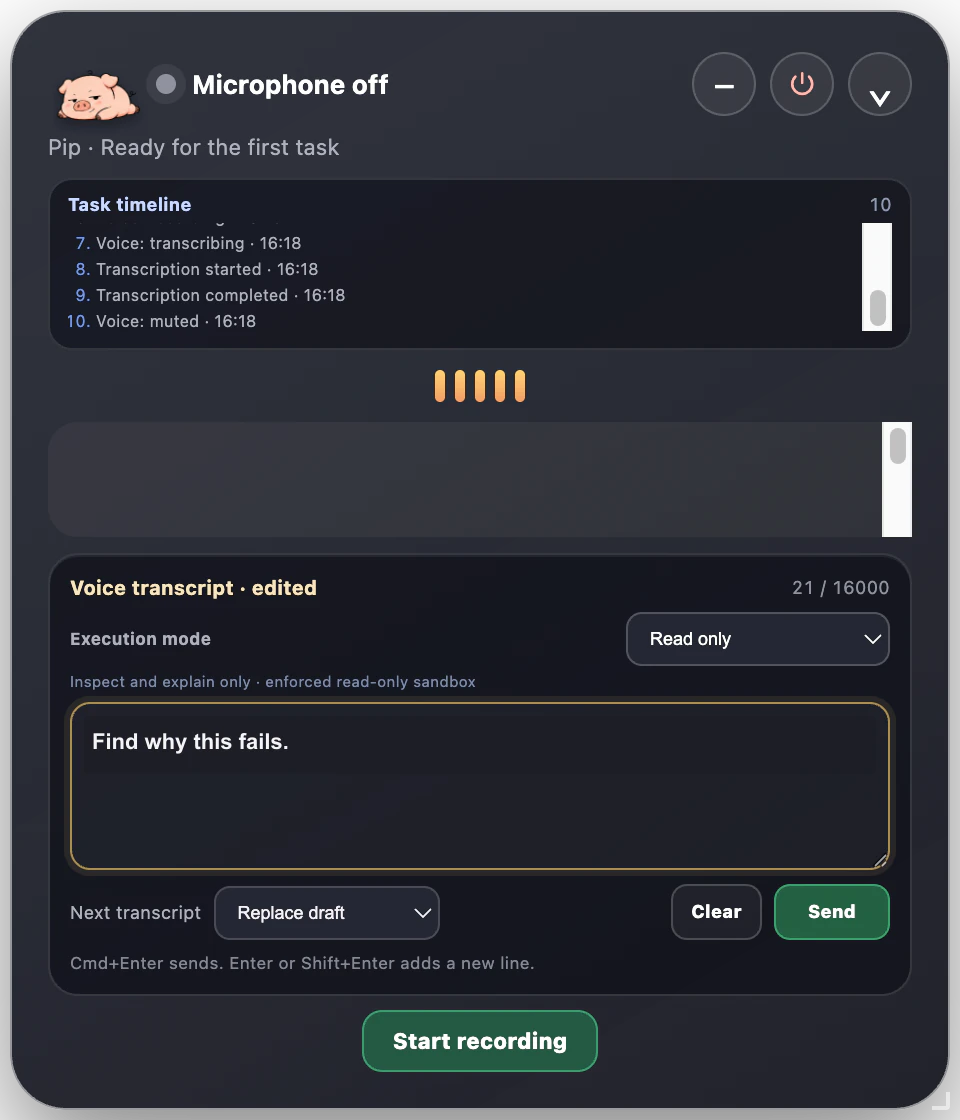
These captures come from Pipipong v0.9.5. Review the transcript, inspect a read-only plan, approve before a write turn, and inspect the resulting change.

  1. Request
  2. Review
  3. Approve
  4. Execute
  5. Inspect
Pipipong v0.9.5 showing an editable transcript in Read only mode

THREE VERIFIED USE CASES

More than an answer—the work stays inspectable.

Pipipong turns the interpretation, plan, approval, execution and result into a process you can check.

FILES · BETA

Organise without moving first

“Read the meeting files in Downloads and list a project-based organisation plan. Do not move anything yet.”
How Pipipong handles it
Starts read-only and shows the scope before any change.
What you get
A reviewable inventory and proposed structure.

DOCUMENTS · BETA

Turn source notes into a draft

“Use these meeting notes to draft the weekly brief and clearly identify what changed.”
How Pipipong handles it
Keeps supplied context attached to one reviewable task.
What you get
A draft plus a traceable summary of the work.
CODE · BETA

Fix, test, then explain

“Find the project error, propose the fix, run the tests after approval, and explain the exact change.”
How Pipipong handles it
Uses the selected execution mode and pauses before a write turn.
What you get
A bounded change, test result and project diff to inspect.

HOW IT WORKS

Five clear moments from request to result.

  1. 01

    Wake

    Open Pip when you need it; it does not start recording on its own.

  2. 02

    Tell

    Speak or type the task, then edit the transcript if needed.

  3. 03

    Review

    Check the interpretation, plan, scope and execution mode.

  4. 04

    Approve

    Sensitive or expanded actions stop for an explicit choice.

  5. 05

    Inspect

    Review the answer, activity, changed files and available recovery options.

OFFICIAL DESKTOP PETS

Choose a work companion for your desktop.

Browse six official companions, preview their work states, and find the character that feels right beside your tasks.

Explore Pet Community

Browse freely. A free account will be required to download, save or publish pets when those community services open.

CURRENT AVAILABILITY

What the public build supports today.

View current status
macOSBeta

Apple silicon · macOS 14+ · direct DMG download

WindowsIn development

No public installer or test date

App accountAvailable now

No website account required to download or use the app

Pet CommunityAvailable now

Public browsing and previews are available

Pet packsUnavailable

Public previews available · pet package downloads are not open

AI executionBeta

Codex is required for full computer and project tasks

FAQ

Clear answers before your pet gets to work.

Pipipong is an AI work pet that lives on your desktop. It turns a goal into a reviewable task and works within the execution mode and permissions you choose.

FREE TECHNICAL PREVIEW

Make room on your desktop for Pipipong.

Apple silicon · macOS 14+ · no account required for the app

Download for Mac